WhatsApp Chatbot for Real Estate: Capture and Qualify Property Leads 24/7
In real estate, speed decides who gets the site visit. A buyer browsing your project page at 11 pm will not wait until morning for a call back. By then, they have already sent enquiries to three other builders and booked a visit somewhere else.
That is why more developers, brokers and property consultants are adding a WhatsApp chatbot for real estate websites. It answers buyer questions instantly, collects budget and location details, shares brochures, and hands a warm, qualified lead to your sales team on WhatsApp, at any hour.
In this guide, you will learn how a real estate chatbot works, which questions it should ask, and how to set one up in minutes with MyWaChat, without the WhatsApp Business API.
Why Real Estate Leads Slip Through the Cracks
Most property websites still depend on a contact form or a plain "Chat on WhatsApp" button. Both create the same problems for sales teams.
1. Slow response. Forms land in an inbox that someone checks a few times a day. Interest cools quickly while the buyer waits.
2. No qualification. Your team spends hours calling people who were only browsing, were outside your budget range, or wanted a different city.
3. Repeated questions. Agents answer the same queries about price, carpet area, possession date and amenities again and again.
4. Lost contacts. A visitor who taps the WhatsApp button but never sends a message leaves no trace at all.
A chatbot for real estate website visitors solves all four. It replies in seconds, filters serious buyers from casual browsers, answers the common questions automatically, and saves every lead before the WhatsApp handoff.
How a WhatsApp Chatbot for Real Estate Works
The idea is simple. A small chat window appears on your project or listing page and guides the visitor through a short conversation.
1. Greeting: "Hi! Looking for a home in Pune? I can help you find the right option."
2. Requirement: The buyer chooses 1 BHK, 2 BHK, 3 BHK or Commercial.
3. Budget: They pick a price range, such as under ₹50 lakh, ₹50 lakh to ₹1 crore, or above ₹1 crore.
4. Location and timeline: They select a preferred area and when they plan to buy.
5. Resources: The chatbot shares a floor plan image, a walkthrough video or the project brochure PDF.
6. Lead capture: It asks for their name and WhatsApp number.
7. Handoff: WhatsApp opens with all their answers already in the message, ready for your sales team to continue.
Your agent receives a message like "2 BHK, ₹60 to ₹80 lakh, Baner, buying within 3 months" instead of just "Hi". That makes the first reply far more useful and the site visit far easier to book.
Questions Your Real Estate Chatbot Should Ask
Good real estate lead generation starts with the right questions. Keep the flow short, with each step offering clear options to tap rather than typing.
• Property type: Apartment, villa, plot or commercial space.
• Configuration: 1, 2, 3 or 4 BHK.
• Budget range: Use bands that match your current inventory.
• Preferred location: List the areas or projects you actually sell.
• Purpose: Self-use or investment, since each needs a different pitch.
• Timeline: Immediately, within 3 months, within 6 months, or just exploring.
• Home loan needed: A useful signal for buyers who may need help with financing.
• Site visit preference: Weekday or weekend, morning or evening.
You can also add quick-answer menus for FAQs such as possession date, amenities, parking, maintenance charges and nearby schools or hospitals. Visitors get answers instantly, and your team only steps in when the buyer is ready to talk.
Share Brochures, Floor Plans and Videos Inside the Chat
Property buyers want to see before they talk. A property enquiry chatbot that can share media keeps them engaged longer and builds trust early.
With MyWaChat, each menu option can reply with images, videos or PDFs. A buyer who taps "3 BHK floor plan" sees the plan right away. One who taps "Project walkthrough" can watch the video without leaving your site. Sharing your price sheet or brochure this way also gives you a natural moment to ask for their WhatsApp number.
Stay Compliant: Show Your RERA Details
Real estate marketing in India comes with regulatory duties, and your chatbot is part of your marketing. In Maharashtra, for example, MahaRERA made a QR code mandatory on advertisements for registered projects from August 1, 2023, alongside the registration number.
A simple best practice is to add a "Project Details" option to your chatbot that shows the RERA registration number and links to the official project page. It reassures buyers and keeps your website conversation consistent with your print and online ads. Check the current rules in your state with your legal or compliance team.
Why WhatsApp Instead of Calls or Email?
Indian home buyers already use WhatsApp to share listings with family, discuss options with a spouse and forward brochures to parents. Moving the conversation there has clear advantages.
• Faster replies: Buyers read and reply to WhatsApp far sooner than email.
• Easy sharing: Brochures, location pins and photos can be forwarded to family in one tap.
• Less pressure: Many buyers prefer chatting first and calling later, once they are serious.
• Ongoing relationship: Your agent can share new launches, price updates and site visit reminders in the same chat.
This makes real estate WhatsApp marketing one of the most effective channels for builders and brokers today.
No WhatsApp Business API Required
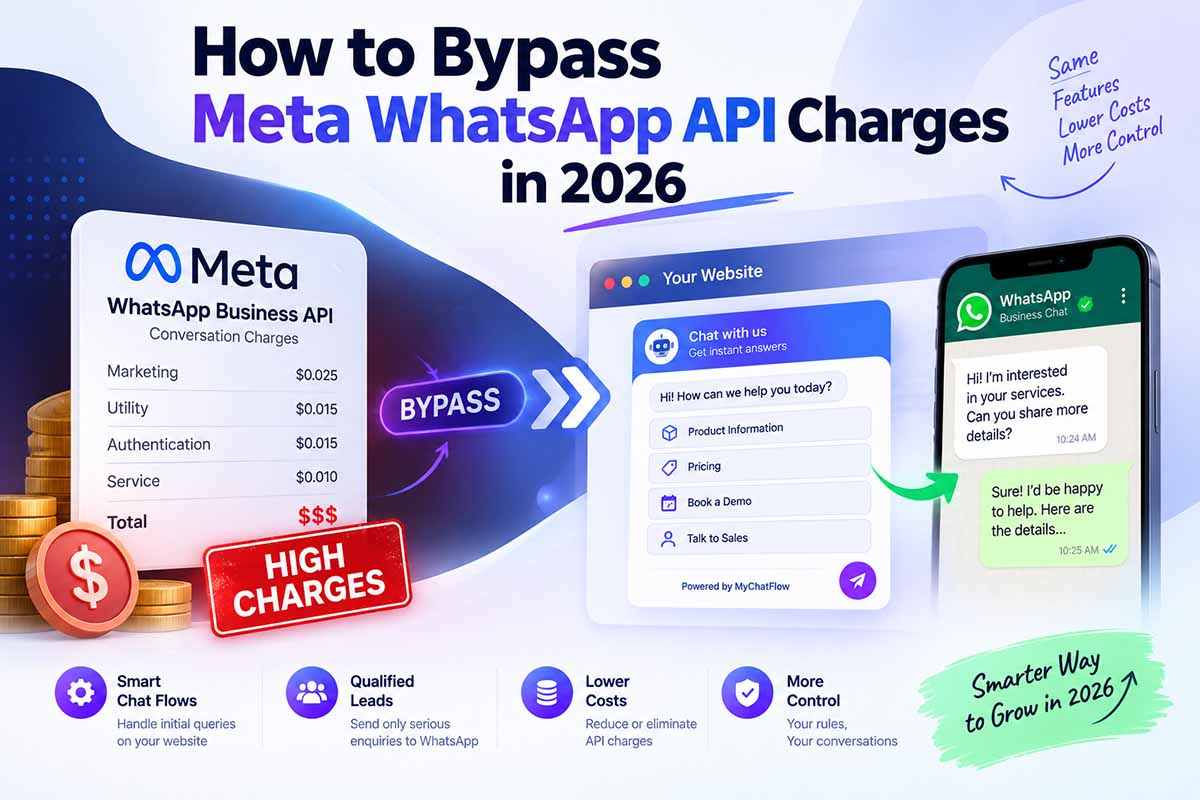
Many real estate CRMs and WhatsApp tools need the official WhatsApp Business API, which means Meta verification, template approvals and per-message charges. MyWaChat works differently. The guided conversation runs on your website, and the final step opens WhatsApp on the buyer's phone with a pre-filled message to your number.
Your agents keep using the WhatsApp or WhatsApp Business app they already know, and there are zero Meta API conversation charges for the handoff. If you are weighing both options, read our comparison of the WhatsApp Business API vs a website chat widget.
Smart AI Answers for Unusual Questions
Buyers do not always follow your menu. Someone might type "Is there a metro station nearby?" or "Can I get a corner flat on a higher floor?" MyWaChat handles this with an optional AI fallback. Connect your own OpenAI or Google Gemini API key, and AI will answer free-text questions that your flow does not cover.
Your important answers, such as prices and possession dates, stay exactly as you wrote them, while AI handles the long tail. Because you use your own key, you stay in control of both the AI provider and the spending.
Set Up Your Real Estate Chatbot in 3 Steps
You do not need a developer. With MyWaChat, the process takes a few minutes.
1. Create your flow. Sign up for MyWaChat, add your logo and brand colour, and build menus for property type, budget, location and FAQs using the no-code flow builder.
2. Add the widget to your website. Enter your domain in the dashboard and paste the one-line script on your project pages or full website.
3. Start receiving qualified leads. Buyers follow the flow, share their details, and arrive on your WhatsApp number with their requirements already listed.
Want to try it as a buyer would? Open the MyWaChat live demo. For general setup tips, see our guide to adding a WhatsApp chatbot to your website.
Built for Builders, Brokers and Agencies
• Developers and builders: Run a separate flow on each project page, so every enquiry arrives with the right project name.
• Channel partners and brokers: Qualify buyers across multiple projects and locations before assigning them to agents.
• Real estate marketing agencies: Manage chatbots for several clients from one dashboard with multi-domain support, custom branding and audit logs.
Affordable Pricing for Real Estate Teams
Instead of paying per message, you pay one flat subscription. MyWaChat starts at ₹899 per month for the Starter Toolkit. Growth PRO costs ₹4,999 for six months with unlimited widget loads and AI, and Agency VIP costs ₹8,999 per year for teams managing multiple websites. Compare plans on the MyWaChat pricing page.
Frequently Asked Questions
Can the chatbot share property brochures and floor plans?
Yes. MyWaChat can share images, videos and PDFs inside the chat flow.
Can I use one chatbot for multiple projects?
Yes. You can build separate menus for each project, or place different flows on different project pages and domains, depending on your plan.
Will my agents need new software to reply?
No. Leads arrive on your existing WhatsApp or WhatsApp Business number.
Does it work on mobile?
Yes. Most property buyers browse on their phones, and the handoff opens the WhatsApp app directly on mobile devices.
Turn Property Page Visitors Into Site Visits
Every visitor on your project page is a potential buyer, but only if you respond fast and ask the right questions. A WhatsApp chatbot for real estate does both, around the clock, and delivers qualified leads to the app your sales team already uses.
Start your free MyWaChat account and launch your first property chatbot today, or explore more guides on the MyWaChat blog.
Ready to stop paying Meta?
Embed our smart widget today and route unlimited chats directly to your WhatsApp for free.
Create Your Account